Understanding LLM Inference Bottlenecks
Each article lives in its own folder under posts/. The folder contains a README.md and may
contain a local cover or other article media:
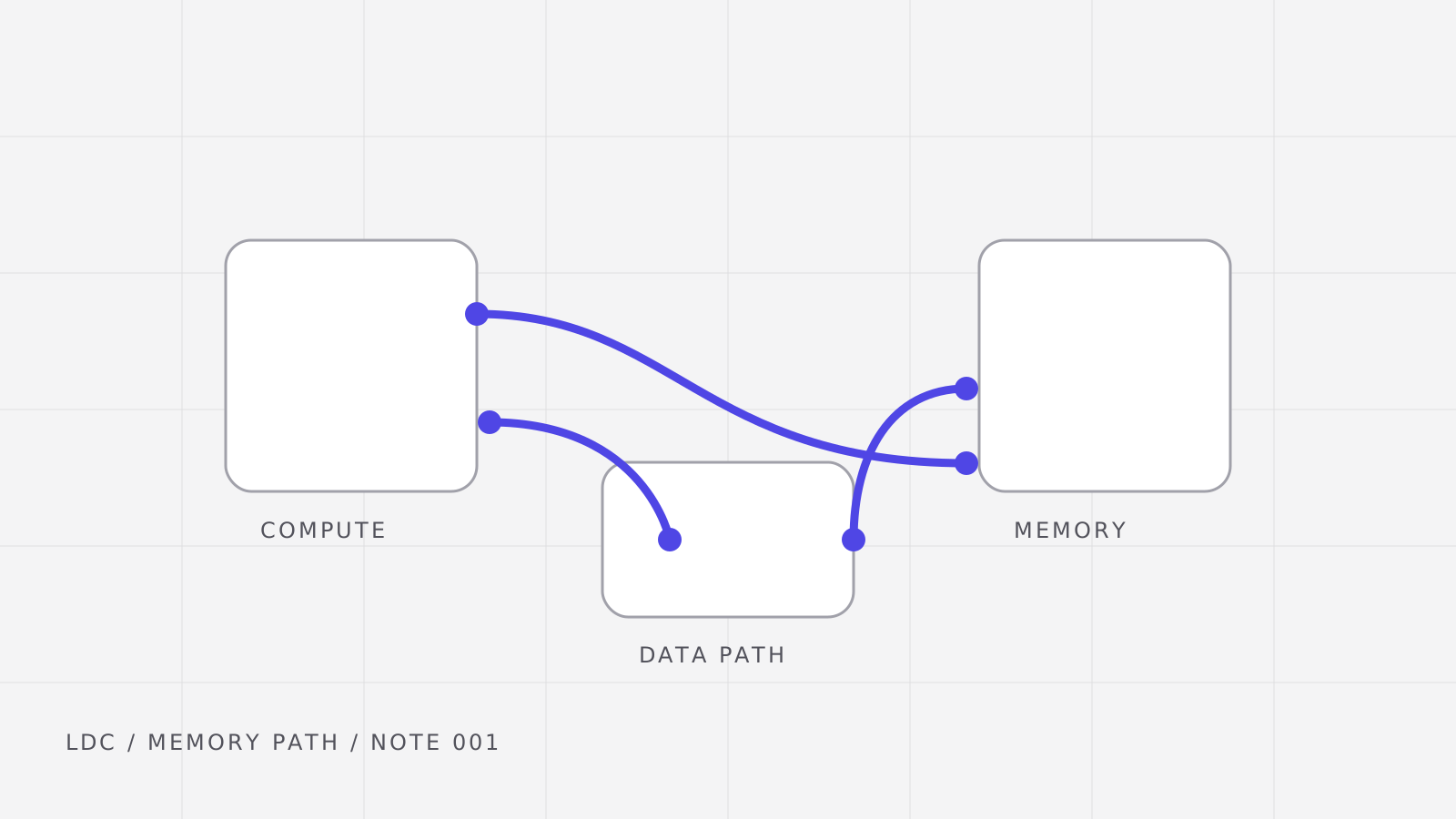
posts/└── understanding-llm-inference-bottlenecks/ ├── README.md ├── cover.svg ├── inference-step.svg └── memory-signal.svgThe folder name creates the stable route: /blog/understanding-llm-inference-bottlenecks. An
explicit lowercase slug can be added to frontmatter when a route must remain independent of the
folder name.
Frontmatter is the article contract
Every README.md begins with validated YAML metadata. Dates use YYYY-MM-DD, category is one of
work, personal, or passion, and tags use lowercase slugs.
| Field | Required | Purpose |
|---|---|---|
title | Yes | Article and metadata title |
description | Yes | Search, cards, and page metadata |
published | Yes | Publication order and RSS date |
updated | No | Shown when different from publication |
category | Yes | Primary blog section |
tags | Yes | Related posts and filters |
draft | No | Excluded from production when true |
featured | No | Eligible for featured placement |
cover | No | Path relative to the article README |
cover_alt | With cover | Describes a meaningful cover |
The validator rejects impossible dates, duplicate tags or slugs, unknown categories, missing local media, and covers without descriptive alternative text.
Prose and structure
Articles support GitHub-flavored Markdown and MDX where it adds real value. That includes
emphasis, external links to primary research, inline
code, and stable heading anchors.
Lists can express both hierarchy and progress:
- Separate the two inference phases.
- Prefill processes the prompt in parallel.
- Decode produces one new token per sequence step.
- Measure the constrained resource.
- Compute-bound work rewards more arithmetic throughput.
- Memory-bound work rewards moving model state efficiently.
- Define the claim
- Support it with a compact example
- Replace the illustrative measurements with experiment data in a future technical article
Tables remain horizontally contained on narrow screens:
| Phase | Dominant shape | Common bottleneck |
|---|---|---|
| Prefill | Many prompt tokens in parallel | Compute and memory mix |
| Decode | One token per active sequence | Model-weight bandwidth |
| Serving | Many independent user sequences | Scheduling and KV memory |
Code examples
Fenced code is highlighted by the site build, receives responsive overflow behavior, and can carry
a descriptive title. Inline formulas that do not need a math renderer can remain code, such as
bandwidth = bytes / seconds.
// Fictional values keep the format demo reproducible.double bandwidth_gb_s(double bytes, double seconds) {  return bytes / seconds / 1'000'000'000.0;}
const double observed = bandwidth_gb_s(90'000'000'000.0, 0.12);
Terminal snippets use an exact language too:
pnpm validate -- --content-dir ../blogs/postsStatic SVG illustrations
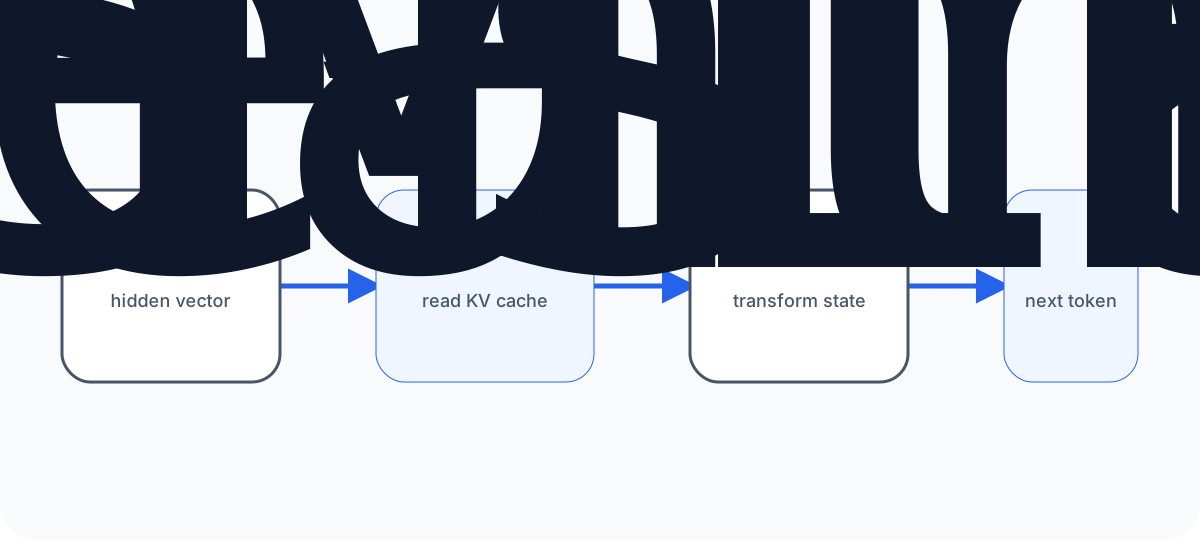
Article-specific vector diagrams live beside the Markdown source. The following SVG uses its own light, dark, and forced-color palettes, so it remains a portable asset as well as a responsive blog illustration.
Reduced-motion-safe animation
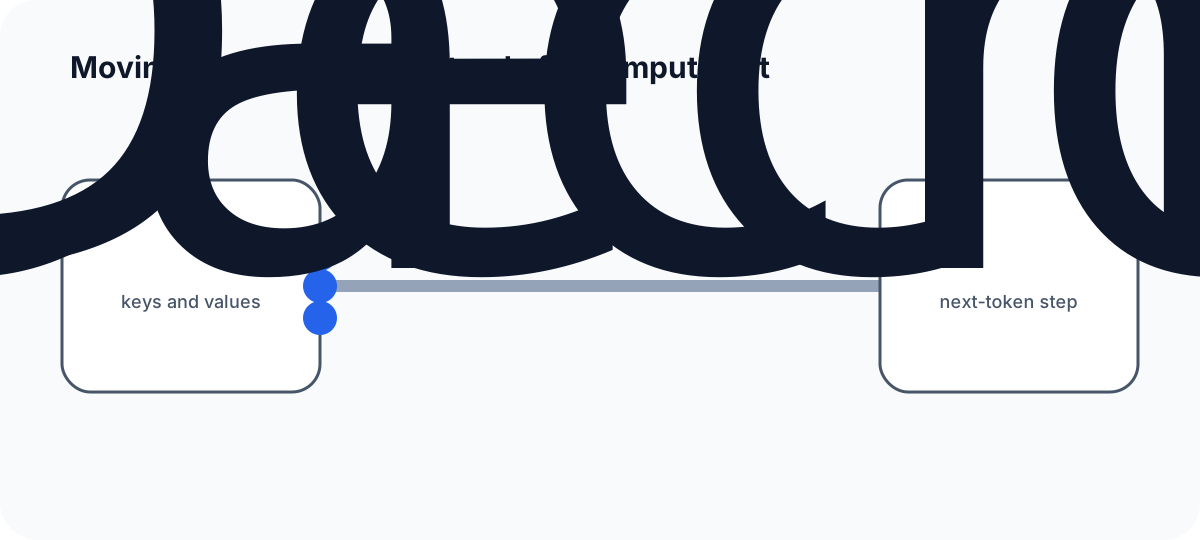
Motion can clarify how state crosses a bottleneck, but the explanation must survive without it. This local SVG plays once, finishes in a meaningful state, and immediately shows that final state when the reader prefers reduced motion. Its replay control reloads the isolated SVG document, so the finite animation can be inspected again without adding an article-level animation runtime.
Mermaid diagrams
Mermaid is useful when relationships matter more than custom illustration. The source stays readable in Markdown, while the portfolio renders light and dark SVG variants during the static build.
%7d%23mermaid-0 .cluster rect%7bfill:%23efefeb%3bstroke:%23b9bcb7%3bstroke-width:1px%7d%23mermaid-0 %5bdata-look=neo%5d.cluster rect%2c%23mermaid-0 %5bdata-look=neo%5d.node circle%2c%23mermaid-0 %5bdata-look=neo%5d.node rect%7bstroke:url(%23mermaid-0-gradient)%3bfilter:drop-shadow(1px 2px 2px %23b9b9b9)%7d%23mermaid-0 %5bdata-look=neo%5d.node path%7bstroke:url(%23mermaid-0-gradient)%3bstroke-width:1px%7d%23mermaid-0 %5bdata-look=neo%5d.node .outer-path%7bfilter:drop-shadow(1px 2px 2px %23b9b9b9)%7d%23mermaid-0 :root%7b--mermaid-font-family:Manrope%2cui-sans-serif%2csystem-ui%2csans-serif%7d%23mermaid-0 .compute span%2c%23mermaid-0 .compute%3e*%2c%23mermaid-0 .input%3e*%7bcolor:white!important%3bstroke-width:2px!important%7d%23mermaid-0 .input%3e*%7bfill:%231d4ed8!important%3bstroke:%2393c5fd!important%7d%23mermaid-0 .compute span%2c%23mermaid-0 .compute%3e*%7bfill:%236d28d9!important%3bstroke:%23c4b5fd!important%7d%23mermaid-0 .decision%3e*%7bcolor:white!important%3bstroke-width:2px!important%7d%23mermaid-0 .memory%3e*%7bfill:%23047857!important%3bstroke:%236ee7b7!important%7d%23mermaid-0 .memory%3e*%2c%23mermaid-0 .output%3e*%7bcolor:white!important%3bstroke-width:2px!important%7d%23mermaid-0 .decision%3e*%7bfill:%23b45309!important%3bstroke:%23fcd34d!important%7d%23mermaid-0 .output%3e*%7bfill:%23be123c!important%3bstroke:%23fda4af!important%7d%5d%5d%3e%3c/style%3e%3cmarker id='mermaid-0_flowchart-v2-pointEnd' class='marker flowchart-v2' markerHeight='8' markerUnits='userSpaceOnUse' markerWidth='8' orient='auto' refX='5' refY='5' viewBox='0 0 10 10'%3e%3cpath d='m0 0 10 5-10 5z' class='arrowMarkerPath' style='stroke-width:1%3bstroke-dasharray:1%2c0'/%3e%3c/marker%3e%3cmarker id='mermaid-0_flowchart-v2-pointStart' class='marker flowchart-v2' markerHeight='8' markerUnits='userSpaceOnUse' markerWidth='8' orient='auto' refX='4.5' refY='5' viewBox='0 0 10 10'%3e%3cpath d='m0 5 10 5V0z' class='arrowMarkerPath' style='stroke-width:1%3bstroke-dasharray:1%2c0'/%3e%3c/marker%3e%3cmarker id='mermaid-0_flowchart-v2-pointEnd-margin' class='marker flowchart-v2' markerHeight='14' markerUnits='userSpaceOnUse' markerWidth='10.5' orient='auto' refX='11.5' refY='7' viewBox='0 0 11.5 14'%3e%3cpath d='m0 0 11.5 7L0 14z' class='arrowMarkerPath' style='stroke-width:0%3bstroke-dasharray:1%2c0'/%3e%3c/marker%3e%3cmarker id='mermaid-0_flowchart-v2-pointStart-margin' class='marker flowchart-v2' markerHeight='14' markerUnits='userSpaceOnUse' markerWidth='11.5' orient='auto' refX='1' refY='7' viewBox='0 0 11.5 14'%3e%3cpath d='m0 7 11.5 7V0z' class='arrowMarkerPath' style='stroke-width:0%3bstroke-dasharray:1%2c0'/%3e%3c/marker%3e%3cmarker id='mermaid-0_flowchart-v2-circleEnd' class='marker flowchart-v2' markerHeight='11' markerUnits='userSpaceOnUse' markerWidth='11' orient='auto' refX='11' refY='5' viewBox='0 0 10 10'%3e%3ccircle cx='5' cy='5' r='5' class='arrowMarkerPath' style='stroke-width:1%3bstroke-dasharray:1%2c0'/%3e%3c/marker%3e%3cmarker id='mermaid-0_flowchart-v2-circleStart' class='marker flowchart-v2' markerHeight='11' markerUnits='userSpaceOnUse' markerWidth='11' orient='auto' refX='-1' refY='5' viewBox='0 0 10 10'%3e%3ccircle cx='5' cy='5' r='5' class='arrowMarkerPath' style='stroke-width:1%3bstroke-dasharray:1%2c0'/%3e%3c/marker%3e%3cmarker id='mermaid-0_flowchart-v2-circleEnd-margin' class='marker flowchart-v2' markerHeight='14' markerUnits='userSpaceOnUse' markerWidth='14' orient='auto' refX='12.25' refY='5' viewBox='0 0 10 10'%3e%3ccircle cx='5' cy='5' r='5' class='arrowMarkerPath' style='stroke-width:0%3bstroke-dasharray:1%2c0'/%3e%3c/marker%3e%3cmarker id='mermaid-0_flowchart-v2-circleStart-margin' class='marker flowchart-v2' markerHeight='14' markerUnits='userSpaceOnUse' markerWidth='14' orient='auto' refX='-2' refY='5' viewBox='0 0 10 10'%3e%3ccircle cx='5' cy='5' r='5' class='arrowMarkerPath' style='stroke-width:0%3bstroke-dasharray:1%2c0'/%3e%3c/marker%3e%3cmarker id='mermaid-0_flowchart-v2-crossEnd' class='marker cross flowchart-v2' markerHeight='11' markerUnits='userSpaceOnUse' markerWidth='11' orient='auto' refX='12' refY='5.2' viewBox='0 0 11 11'%3e%3cpath d='m1 1 9 9m0-9-9 9' class='arrowMarkerPath' style='stroke-width:2%3bstroke-dasharray:1%2c0'/%3e%3c/marker%3e%3cmarker id='mermaid-0_flowchart-v2-crossStart' class='marker cross flowchart-v2' markerHeight='11' markerUnits='userSpaceOnUse' markerWidth='11' orient='auto' refX='-1' refY='5.2' viewBox='0 0 11 11'%3e%3cpath d='m1 1 9 9m0-9-9 9' class='arrowMarkerPath' style='stroke-width:2%3bstroke-dasharray:1%2c0'/%3e%3c/marker%3e%3cmarker id='mermaid-0_flowchart-v2-crossEnd-margin' class='marker cross flowchart-v2' markerHeight='12' markerUnits='userSpaceOnUse' markerWidth='12' orient='auto' refX='17.7' refY='7.5' viewBox='0 0 15 15'%3e%3cpath d='m1 1 13 13M1 14 14 1' class='arrowMarkerPath' style='stroke-width:2.5'/%3e%3c/marker%3e%3cmarker id='mermaid-0_flowchart-v2-crossStart-margin' class='marker cross flowchart-v2' markerHeight='12' markerUnits='userSpaceOnUse' markerWidth='12' orient='auto' refX='-3.5' refY='7.5' viewBox='0 0 15 15'%3e%3cpath d='m1 1 13 13M1 14 14 1' class='arrowMarkerPath' style='stroke-width:2.5%3bstroke-dasharray:1%2c0'/%3e%3c/marker%3e%3cg class='root'%3e%3cg class='edgePaths'%3e%3cpath id='mermaid-0-L_Cache_Decode_0' marker-end='url(%23mermaid-0_flowchart-v2-pointEnd__64748b)' d='M385.242 148.172v46' class='edge-thickness-normal edge-pattern-solid edge-thickness-normal edge-pattern-solid flowchart-link' data-edge='true' data-et='edge' data-id='L_Cache_Decode_0' data-look='classic' data-points='W3sieCI6Mzg1LjI0MjE4NzUsInkiOjE0OC4xNzIzNzg1NDAwMzkwNn0seyJ4IjozODUuMjQyMTg3NSwieSI6MTczLjE3MjM3ODU0MDAzOTA2fSx7IngiOjM4NS4yNDIxODc1LCJ5IjoxOTguMTcyMzc4NTQwMDM5MDZ9XQ==' style='stroke:%2364748b%3bstroke-width:2px'/%3e%3c/g%3e%3cg class='edgeLabels'%3e%3cg class='edgeLabel'%3e%3cforeignObject width='0' height='0' class='label' data-id='L_Cache_Decode_0'%3e%3cdiv xmlns='http://www.w3.org/1999/xhtml' class='labelBkg' style='display:table-cell%3bwhite-space:nowrap%3bline-height:1.5%3bmax-width:200px%3btext-align:center'%3e%3cspan class='edgeLabel'/%3e%3c/div%3e%3c/foreignObject%3e%3c/g%3e%3c/g%3e%3cg class='nodes'%3e%3cg class='root'%3e%3cg class='clusters' transform='translate(0 190.172)'%3e%3cg id='mermaid-0-Generation' class='cluster' data-look='classic'%3e%3cpath d='M8 8h754.484v209.609H8z' style='fill:transparent!important%3bstroke:%2364748b!important%3bstroke-width:2px!important'/%3e%3cforeignObject width='183.828' height='24' class='cluster-label' transform='translate(293.328 8)'%3e%3cdiv xmlns='http://www.w3.org/1999/xhtml' style='display:table-cell%3bwhite-space:nowrap%3bline-height:1.5'%3e%3cspan class='nodeLabel'%3e%3cp%3eGenerate the response%3c/p%3e%3c/span%3e%3c/div%3e%3c/foreignObject%3e%3c/g%3e%3c/g%3e%3cg class='edgePaths' transform='translate(0 190.172)'%3e%3cpath id='mermaid-0-L_Decode_Decision_0' marker-end='url(%23mermaid-0_flowchart-v2-pointEnd__64748b)' d='m244.434 85.805 9.148-2.567c9.147-2.567 27.443-7.702 47.099-6.499s40.672 8.744 51.18 12.514l10.508 3.77' class='edge-thickness-normal edge-pattern-solid edge-thickness-normal edge-pattern-solid flowchart-link' data-edge='true' data-et='edge' data-id='L_Decode_Decision_0' data-look='classic' data-points='W3sieCI6MjQ0LjQzMzc2NjEyMTYwMjk2LCJ5Ijo4NS44MDQ2ODc1fSx7IngiOjI5OS4zMjAzMTI1LCJ5Ijo3MC40MDIzNDM3NX0seyJ4IjozNjYuMTM0NDQyMjM0MTM0NDQsInkiOjk0LjM3MzM3MDI2NTg2NTU5fV0=' style='stroke:%2364748b%3bstroke-width:2px'/%3e%3cpath id='mermaid-0-L_Decision_Decode_0' marker-end='url(%23mermaid-0_flowchart-v2-pointEnd__64748b)' d='m364.141 129.242-10.804 3.328c-10.803 3.327-32.41 9.982-50.629 11.523s-33.05-2.032-40.466-3.819l-7.416-1.786' class='edge-thickness-normal edge-pattern-solid edge-thickness-normal edge-pattern-solid flowchart-link' data-edge='true' data-et='edge' data-id='L_Decision_Decode_0' data-look='classic' data-points='W3sieCI6MzY0LjE0MDUxOTM4NTY2MDEsInkiOjEyOS4yNDIwODE4ODU2NjAxM30seyJ4IjoyOTkuMzIwMzEyNSwieSI6MTQ5LjIwNzAzMTI1fSx7IngiOjI1MC45Mzc1LCJ5IjoxMzcuNTUwOTc4NTcyMDc0ODh9XQ==' style='stroke:%2364748b%3bstroke-width:2px'/%3e%3cpath id='mermaid-0-L_Decision_Response_0' marker-end='url(%23mermaid-0_flowchart-v2-pointEnd__64748b)' d='M487.313 112.805h96.828' class='edge-thickness-normal edge-pattern-solid edge-thickness-normal edge-pattern-solid flowchart-link' data-edge='true' data-et='edge' data-id='L_Decision_Response_0' data-look='classic' data-points='W3sieCI6NDg3LjMxMjUsInkiOjExMi44MDQ2ODc1fSx7IngiOjUzNy43MjY1NjI1LCJ5IjoxMTIuODA0Njg3NX0seyJ4Ijo1ODguMTQwNjI1LCJ5IjoxMTIuODA0Njg3NX1d' style='stroke:%2364748b%3bstroke-width:2px'/%3e%3c/g%3e%3cg class='edgeLabels'%3e%3cg class='edgeLabel'%3e%3cforeignObject width='0' height='0' class='label' data-id='L_Decode_Decision_0' transform='translate(0 190.172)'%3e%3cdiv xmlns='http://www.w3.org/1999/xhtml' class='labelBkg' style='display:table-cell%3bwhite-space:nowrap%3bline-height:1.5%3bmax-width:200px%3btext-align:center'%3e%3cspan class='edgeLabel'/%3e%3c/div%3e%3c/foreignObject%3e%3c/g%3e%3cg class='edgeLabel'%3e%3cforeignObject width='21.766' height='24' class='label' data-id='L_Decision_Decode_0' transform='translate(297.067 324.722)'%3e%3cdiv xmlns='http://www.w3.org/1999/xhtml' class='labelBkg' style='display:table-cell%3bwhite-space:nowrap%3bline-height:1.5%3bmax-width:200px%3btext-align:center'%3e%3cspan class='edgeLabel'%3e%3cp%3eNo%3c/p%3e%3c/span%3e%3c/div%3e%3c/foreignObject%3e%3c/g%3e%3cg class='edgeLabel'%3e%3cforeignObject width='25.828' height='24' class='label' data-id='L_Decision_Response_0' transform='translate(524.813 290.977)'%3e%3cdiv xmlns='http://www.w3.org/1999/xhtml' class='labelBkg' style='display:table-cell%3bwhite-space:nowrap%3bline-height:1.5%3bmax-width:200px%3btext-align:center'%3e%3cspan class='edgeLabel'%3e%3cp%3eYes%3c/p%3e%3c/span%3e%3c/div%3e%3c/foreignObject%3e%3c/g%3e%3c/g%3e%3cg class='nodes' transform='translate(0 190.172)'%3e%3cg id='mermaid-0-flowchart-Decode-3' class='node default compute' data-look='classic'%3e%3cpath d='M-102.719-27h205.438v54h-205.438z' class='basic label-container' style='fill:%236d28d9!important%3bstroke:%23c4b5fd!important%3bstroke-width:2px!important' transform='translate(148.219 112.805)'/%3e%3cg class='label' style='color:white!important' transform='translate(75.5 100.805)'%3e%3crect/%3e%3cforeignObject width='145.438' height='24'%3e%3cdiv xmlns='http://www.w3.org/1999/xhtml' style='color:white!important%3bdisplay:table-cell%3bwhite-space:nowrap%3bline-height:1.5%3bmax-width:200px%3btext-align:center'%3e%3cspan class='nodeLabel' style='color:white!important'%3e%3cp%3eDecode one token%3c/p%3e%3c/span%3e%3c/div%3e%3c/foreignObject%3e%3c/g%3e%3c/g%3e%3cg id='mermaid-0-flowchart-Decision-4' class='node default decision' data-look='classic'%3e%3cpath d='m69.805 0 69.804-69.805-69.804-69.804L0-69.805z' class='label-container' style='fill:%23b45309!important%3bstroke:%23fcd34d!important%3bstroke-width:2px!important' transform='translate(348.203 182.61)'/%3e%3cg class='label' style='color:white!important' transform='translate(374.703 100.805)'%3e%3crect/%3e%3cforeignObject width='85.609' height='24'%3e%3cdiv xmlns='http://www.w3.org/1999/xhtml' style='color:white!important%3bdisplay:table-cell%3bwhite-space:nowrap%3bline-height:1.5%3bmax-width:200px%3btext-align:center'%3e%3cspan class='nodeLabel' style='fill:%23b45309!important%3bstroke:%23fcd34d!important%3bstroke-width:2px!important%3bcolor:white!important'%3e%3cp%3eComplete%3f%3c/p%3e%3c/span%3e%3c/div%3e%3c/foreignObject%3e%3c/g%3e%3c/g%3e%3cg id='mermaid-0-flowchart-Response-8' class='node default output' data-look='classic'%3e%3cpath d='M-68.422-27H68.422v54H-68.422z' class='basic label-container' style='fill:%23be123c!important%3bstroke:%23fda4af!important%3bstroke-width:2px!important' transform='translate(656.563 112.805)'/%3e%3cg class='label' style='color:white!important' transform='translate(618.14 100.805)'%3e%3crect/%3e%3cforeignObject width='76.844' height='24'%3e%3cdiv xmlns='http://www.w3.org/1999/xhtml' style='color:white!important%3bdisplay:table-cell%3bwhite-space:nowrap%3bline-height:1.5%3bmax-width:200px%3btext-align:center'%3e%3cspan class='nodeLabel' style='fill:%23be123c!important%3bstroke:%23fda4af!important%3bstroke-width:2px!important%3bcolor:white!important'%3e%3cp%3eResponse%3c/p%3e%3c/span%3e%3c/div%3e%3c/foreignObject%3e%3c/g%3e%3c/g%3e%3c/g%3e%3c/g%3e%3cg class='root'%3e%3cg class='clusters' transform='translate(80.305)'%3e%3cg id='mermaid-0-Context' class='cluster' data-look='classic'%3e%3cpath d='M8 8h593.875v140.172H8z' style='fill:transparent!important%3bstroke:%2364748b!important%3bstroke-width:2px!important'/%3e%3cforeignObject width='179.438' height='24' class='cluster-label' transform='translate(215.219 8)'%3e%3cdiv xmlns='http://www.w3.org/1999/xhtml' style='display:table-cell%3bwhite-space:nowrap%3bline-height:1.5'%3e%3cspan class='nodeLabel'%3e%3cp%3eBuild reusable context%3c/p%3e%3c/span%3e%3c/div%3e%3c/foreignObject%3e%3c/g%3e%3c/g%3e%3cg class='edgePaths' transform='translate(80.305)'%3e%3cpath id='mermaid-0-L_Prompt_Prefill_0' marker-end='url(%23mermaid-0_flowchart-v2-pointEnd__64748b)' d='M221.063 78.086h71' class='edge-thickness-normal edge-pattern-solid edge-thickness-normal edge-pattern-solid flowchart-link' data-edge='true' data-et='edge' data-id='L_Prompt_Prefill_0' data-look='classic' data-points='W3sieCI6MjIxLjA2MjUsInkiOjc4LjA4NjE5MzA4NDcxNjh9LHsieCI6MjU4LjU2MjUsInkiOjc4LjA4NjE5MzA4NDcxNjh9LHsieCI6Mjk2LjA2MjUsInkiOjc4LjA4NjE5MzA4NDcxNjh9XQ==' style='stroke:%2364748b%3bstroke-width:2px'/%3e%3cpath id='mermaid-0-L_Prefill_Cache_0' marker-end='url(%23mermaid-0_flowchart-v2-pointEnd__64748b)' d='M400.469 78.086h71' class='edge-thickness-normal edge-pattern-solid edge-thickness-normal edge-pattern-solid flowchart-link' data-edge='true' data-et='edge' data-id='L_Prefill_Cache_0' data-look='classic' data-points='W3sieCI6NDAwLjQ2ODc1LCJ5Ijo3OC4wODYxOTMwODQ3MTY4fSx7IngiOjQzNy45Njg3NSwieSI6NzguMDg2MTkzMDg0NzE2OH0seyJ4Ijo0NzUuNDY4NzUsInkiOjc4LjA4NjE5MzA4NDcxNjh9XQ==' style='stroke:%2364748b%3bstroke-width:2px'/%3e%3c/g%3e%3cg class='edgeLabels'%3e%3cg class='edgeLabel'%3e%3cforeignObject width='0' height='0' class='label' data-id='L_Prompt_Prefill_0' transform='translate(80.305)'%3e%3cdiv xmlns='http://www.w3.org/1999/xhtml' class='labelBkg' style='display:table-cell%3bwhite-space:nowrap%3bline-height:1.5%3bmax-width:200px%3btext-align:center'%3e%3cspan class='edgeLabel'/%3e%3c/div%3e%3c/foreignObject%3e%3c/g%3e%3cg class='edgeLabel'%3e%3cforeignObject width='0' height='0' class='label' data-id='L_Prefill_Cache_0' transform='translate(80.305)'%3e%3cdiv xmlns='http://www.w3.org/1999/xhtml' class='labelBkg' style='display:table-cell%3bwhite-space:nowrap%3bline-height:1.5%3bmax-width:200px%3btext-align:center'%3e%3cspan class='edgeLabel'/%3e%3c/div%3e%3c/foreignObject%3e%3c/g%3e%3c/g%3e%3cg class='nodes' transform='translate(80.305)'%3e%3cg id='mermaid-0-flowchart-Prompt-0' class='node default input' data-look='classic'%3e%3cpath d='M-87.781-27H87.782v54H-87.781z' class='basic label-container' style='fill:%231d4ed8!important%3bstroke:%2393c5fd!important%3bstroke-width:2px!important' transform='translate(133.281 78.086)'/%3e%3cg class='label' style='color:white!important' transform='translate(75.5 66.086)'%3e%3crect/%3e%3cforeignObject width='115.563' height='24'%3e%3cdiv xmlns='http://www.w3.org/1999/xhtml' style='color:white!important%3bdisplay:table-cell%3bwhite-space:nowrap%3bline-height:1.5%3bmax-width:200px%3btext-align:center'%3e%3cspan class='nodeLabel' style='fill:%231d4ed8!important%3bstroke:%2393c5fd!important%3bstroke-width:2px!important%3bcolor:white!important'%3e%3cp%3ePrompt tokens%3c/p%3e%3c/span%3e%3c/div%3e%3c/foreignObject%3e%3c/g%3e%3c/g%3e%3cg id='mermaid-0-flowchart-Prefill-1' class='node default compute' data-look='classic'%3e%3cpath d='M-52.203-27H52.203v54H-52.203z' class='basic label-container' style='fill:%236d28d9!important%3bstroke:%23c4b5fd!important%3bstroke-width:2px!important' transform='translate(348.266 78.086)'/%3e%3cg class='label' style='color:white!important' transform='translate(326.063 66.086)'%3e%3crect/%3e%3cforeignObject width='44.406' height='24'%3e%3cdiv xmlns='http://www.w3.org/1999/xhtml' style='color:white!important%3bdisplay:table-cell%3bwhite-space:nowrap%3bline-height:1.5%3bmax-width:200px%3btext-align:center'%3e%3cspan class='nodeLabel' style='color:white!important'%3e%3cp%3ePrefill%3c/p%3e%3c/span%3e%3c/div%3e%3c/foreignObject%3e%3c/g%3e%3c/g%3e%3cg id='mermaid-0-flowchart-Cache-2' class='node default memory' data-look='classic'%3e%3cpath d='M0 10.39a44.453 10.39 0 0 0 88.906 0A44.453 10.39 0 0 0 0 10.39v49.392a44.453 10.39 0 0 0 88.906 0V10.39' class='basic label-container outer-path' style='fill:%23047857!important%3bstroke:%236ee7b7!important%3bstroke-width:2px!important' transform='translate(475.469 43)'/%3e%3cg class='label' style='color:white!important' transform='translate(482.969 76.086)'%3e%3crect/%3e%3cforeignObject width='73.906' height='24'%3e%3cdiv xmlns='http://www.w3.org/1999/xhtml' style='color:white!important%3bdisplay:table-cell%3bwhite-space:nowrap%3bline-height:1.5%3bmax-width:200px%3btext-align:center'%3e%3cspan class='nodeLabel' style='fill:%23047857!important%3bstroke:%236ee7b7!important%3bstroke-width:2px!important%3bcolor:white!important'%3e%3cp%3eKV cache%3c/p%3e%3c/span%3e%3c/div%3e%3c/foreignObject%3e%3c/g%3e%3c/g%3e%3c/g%3e%3c/g%3e%3c/g%3e%3c/g%3e%3cmarker id='mermaid-0_flowchart-v2-pointEnd__64748b' class='marker flowchart-v2' markerHeight='8' markerUnits='userSpaceOnUse' markerWidth='8' orient='auto' refX='5' refY='5' viewBox='0 0 10 10'%3e%3cpath fill='%2364748b' stroke='%2364748b' d='m0 0 10 5-10 5z' class='arrowMarkerPath' style='stroke-width:1%3bstroke-dasharray:1%2c0'/%3e%3c/marker%3e%3cdefs%3e%3cfilter id='mermaid-0-drop-shadow' width='130%25' height='130%25'%3e%3cfeDropShadow dx='4' dy='4' flood-color='black' flood-opacity='.06' stdDeviation='0'/%3e%3c/filter%3e%3c/defs%3e%3cdefs%3e%3cfilter id='mermaid-0-drop-shadow-small' width='150%25' height='150%25'%3e%3cfeDropShadow dx='2' dy='2' flood-color='black' flood-opacity='.06' stdDeviation='0'/%3e%3c/filter%3e%3c/defs%3e%3clinearGradient id='mermaid-0-gradient' x1='0%25' x2='100%25' y1='0%25' y2='0%25' gradientUnits='objectBoundingBox'%3e%3cstop offset='0%25' stop-color='%234d55d7'/%3e%3cstop offset='100%25' stop-color='%23187653'/%3e%3c/linearGradient%3e%3c/svg%3e "LLM inference phases and the KV cache")
Images, disclosure, and references
Normal Markdown images must have alternative text that conveys their purpose. Longer supporting detail can stay tucked into native disclosure markup without requiring a custom component.
Why the KV cache matters
Without cached keys and values, decoding would recompute attention state for every earlier token on every step. Caching exchanges that repeated work for a growing memory footprint.
Footnotes keep citations near the claim without interrupting the main explanation.1
Publishing workflow
- Create a named folder with
README.md. - Add and validate frontmatter.
- Write the article and keep media beside it.
- Open a pull request and pass the compatibility workflow.
- Preview through the portfolio and set
draft: falsewhen it is ready. - Update the portfolio submodule pointer and create a portfolio release tag.
Reading time, category and tag data, related posts, previous/next navigation, RSS metadata, and the article URL are derived at build time.1